Phone and tablet guide
PolyTrack Mobile: Touch Controls and Phone Setup
A practical browser setup and control check for phones and tablets, with clear limits because each hosted build can behave differently.
Quick answer
Can you play PolyTrack on a phone?
PolyTrack mobile play may work in a compatible browser build, but it is not safe to assume that every mirror, embedded frame, or device exposes the same touch controls. The creator's historical 0.4.0 notes mention mobile support and touch controls; that confirms the feature existed in that release, not that every current host behaves identically.
Open PolyTrack mobile from a trusted source in your phone browser, rotate to landscape, wait for the game to finish loading, and test steering, acceleration, and braking separately before a serious run. If controls are missing or the page will not fit, try the source's full-page game view once. Repeated refreshes can discard an unsaved run or editor change.
This guide covers phone setup, touch checks, and missing controls. Use the controls guide for desktop key bindings.
Choose a source
A browser build is not the same as a mobile app
PolyTrack is commonly encountered as a browser game. For PolyTrack mobile, the page may run the web version inside a normal tab or an embedded frame supplied by a game host. That differs from a native application. A “mobile” label does not prove a separate app or identical controls on every site.
Start from an identifiable source and confirm the game screen before granting anything. A host may add menus, ads, fullscreen wrappers, or frame limits. If touch input fails, the issue may be that build or wrapper; it does not prove that all PolyTrack mobile play is unavailable. Do not download a file or browser extension just to load the game.
What the source confirms
What the creator's mobile-support note does and does not say
Kodub's PolyTrack 0.4.0 devlog is the first-party reference used here. Its title identifies replays and mobile support, and its release note describes touch controls. This is useful evidence that the creator added a mobile-oriented input path in that version. It is stronger than a mirror's marketing label, but it is still a dated release note rather than a live compatibility test for your device today.
For PolyTrack mobile, the note does not guarantee that every browser, screen size, embedded host, or later build works the same way. Hosts can serve different builds, and browsers change fullscreen, orientation, focus, and touch behavior. Treat the game in front of you as the final check: confirm that the track responds before investing time in a long attempt.
Historical first-party evidence: Kodub's PolyTrack 0.4.0 mobile-support devlog
Before the first run
Set up PolyTrack on a phone in four checks
Use a PolyTrack mobile browser tab you can return to, and keep the first test short. Do not change several device settings at once: a reversible setup helps identify whether the problem is loading, the viewport, or input. On a school or shared device, follow its rules and use only permitted sites.
The sequence below is a diagnostic routine, not a promise that every host supports mobile controls. Stop when a check fails and record what you see; that observation is more useful than repeating the same reload.
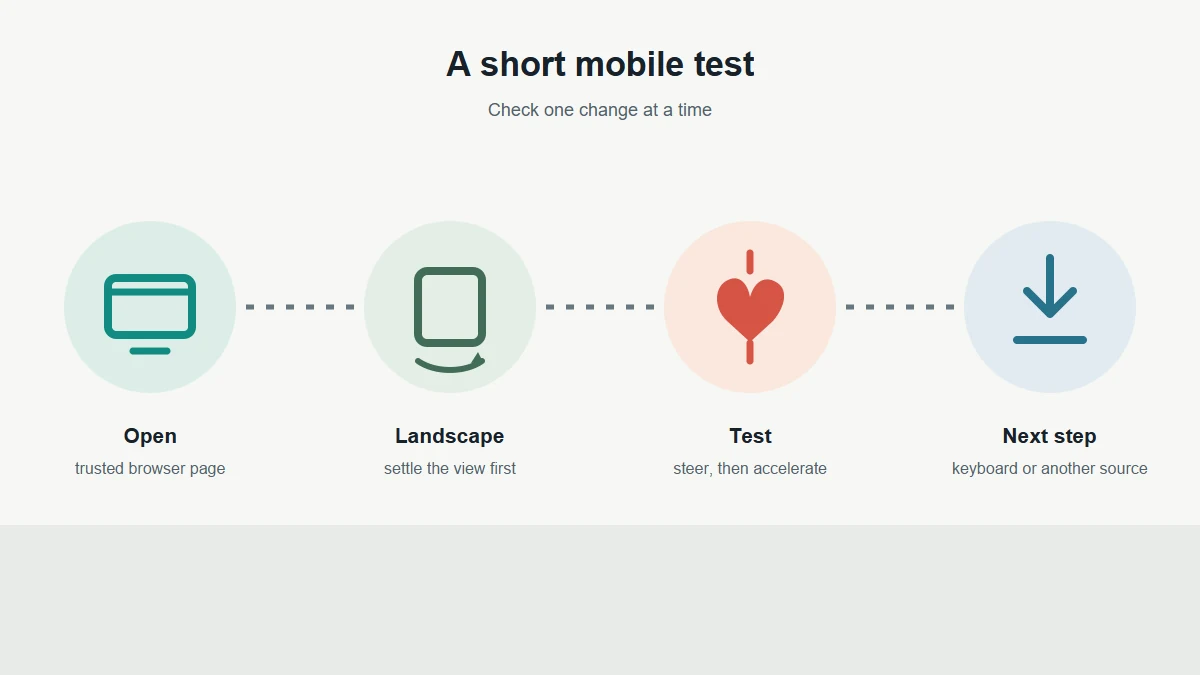
Open the game page
Use a source you recognize and wait for the track or start screen. If only the outer page appears, check the loading guide before changing touch settings.
Rotate to landscape
Hold the device sideways and let the page settle. Landscape gives the track more horizontal room, but some browsers keep their own bars visible.
Test one input at a time
Tap the visible steering area, release, then test acceleration and braking separately. A response should be clear before you continue.
Change one condition
If input does not respond, try the host's full-page view or another supported browser once. Keep the original page and avoid random downloads or extensions.
Make the track readable
Landscape and fullscreen: improve the view without guessing
For PolyTrack mobile, landscape is a practical first choice because racing tracks use width as well as height. After rotating, wait for the browser to resize the game. If controls overlap, check whether browser bars or a host panel reduce the frame.
Fullscreen can remove browser chrome on some devices, but the exact gesture and support vary. Use a visible fullscreen control supplied by the page if one exists. Do not assume that tapping the game canvas will always enter fullscreen; the tap may steer the car instead. If the view becomes worse or the game stops responding, leave fullscreen and return to the stable tab.
Leave page zoom at its default during the first test. Zoom can move controls off-screen; restore normal scale before comparing sources.
Check the inputs
Test steering, throttle, and brake separately
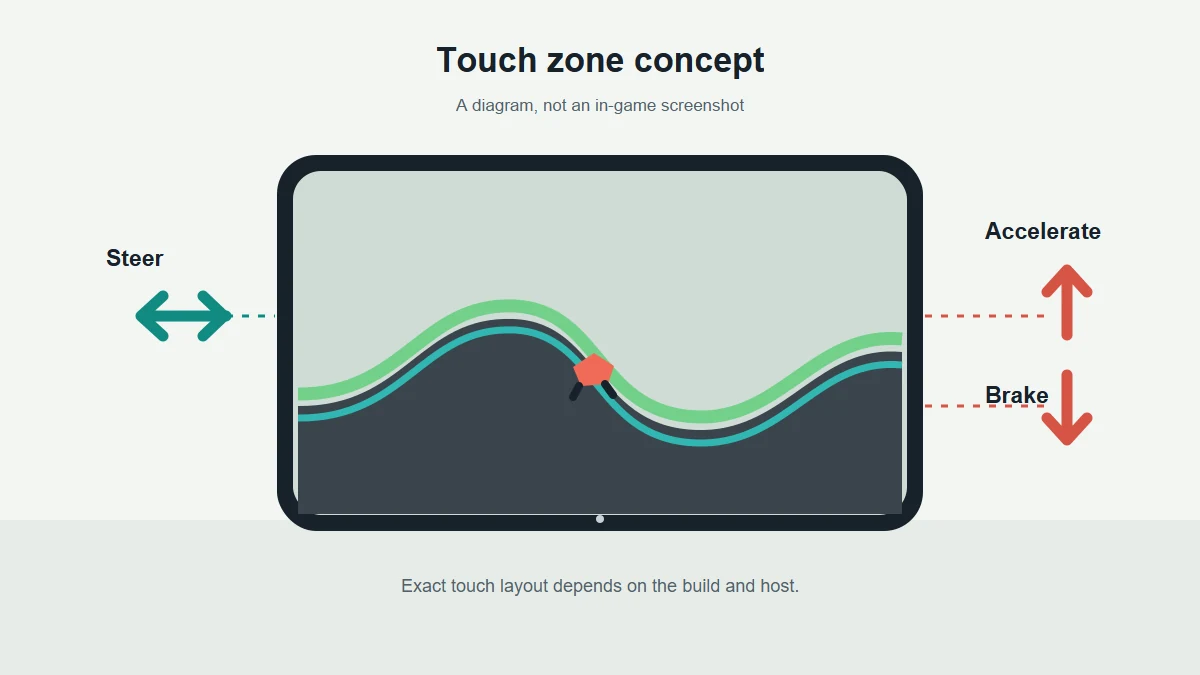
For PolyTrack mobile, do the first test on a safe, short section or before a timed attempt. Touch zones differ between builds, so use visible controls rather than assuming a button position from another site. Press briefly, release fully, and watch for a change in the car or game state.
Steering should change direction without requiring a long hold. Acceleration should produce forward movement, and braking should slow the car or change its speed response. Test each action alone first; pressing several areas together can hide which input was ignored. If the game has a restart or pause control, avoid testing it until you have identified the driving controls.
When input is missing
If PolyTrack mobile controls are missing or unresponsive
For PolyTrack mobile, first separate a loading problem from an input problem. If the game has not reached a playable screen, touch controls may not be initialized. If the car is visible but taps do nothing, check the frame and page before deciding that your phone is incompatible.
Try the checks below one at a time and stop after a clear result. A host-specific limitation is plausible when the same device works on another supported source, but one successful source does not prove universal compatibility.
The game is still loading
Wait for the start or track screen. If it stays blank, use the loading guide and check the browser connection before troubleshooting controls.
A frame is too small
Use the host's full-page game link or rotate the device. Do not keep zooming if that moves controls beyond the screen.
Taps reach the page, not the game
Close an open browser menu or consent layer, then tap inside the game frame once. Avoid repeated taps on overlays.
One control works, another does not
Release all fingers and retest each action separately. If the same input remains absent, note the browser and host for a focused comparison.
Protect your session
Know the limits of saves, privacy, and device support
In PolyTrack mobile play, a browser game may keep progress in local storage, but this guide does not promise that runs, editor drafts, or settings sync between devices or hosts. Private browsing, clearing site data, switching mirrors, or storage restrictions can change what remains available. If custom work matters, use an in-game export option and verify the saved file before leaving.
A phone browser can pause a tab when you switch apps or lock the screen, interrupting a long editor session. Save or export first, keep the browser in front while testing, and avoid unrelated permissions. Never install an unknown APK or extension because a game mirror says it is required.
This is an independent fan guide, not a compatibility certification. Check the developer's own page for current product information, and treat host-specific instructions as applying only to that host.
Choose the right setup
When mobile is convenient and when a keyboard is better
PolyTrack mobile is useful for a quick casual run when the current build responds consistently. Touch targets can be convenient, and the device is already at hand. Before relying on it, confirm that steering and both speed inputs work, the track fits, and rotation does not interrupt the game.
For precise time trials, editor work, or repeatable comparisons, a keyboard can be easier to control because each input has a distinct key and can be repeated consistently. That is a practical preference, not a claim that mobile play is impossible. Use the controls guide for keyboard bindings, the editor guide for track creation, and the not-loading guide when the game fails before input can be tested.
FAQ
PolyTrack mobile FAQ
Can I play PolyTrack on my phone?
Some PolyTrack mobile browser builds may support phone play and touch controls. Check the build you opened because hosts, browsers, and devices can behave differently.
Does PolyTrack have an official mobile app?
This guide verifies a creator release note about mobile support in version 0.4.0; it does not verify a current app-store listing. Use the creator's official pages for current release information.
Why are the touch buttons missing?
The page may still be loading, the host's frame may be too small, or that build may not expose touch controls. Try one supported full-page view and test inputs separately.
Should I use portrait or landscape?
Landscape is a useful first check because it gives the track more width. The page may still show browser bars or host controls, so confirm the full game remains visible.
Will my mobile progress sync to desktop?
Do not assume that runs, settings, or editor drafts sync between devices or hosts. Export important custom work when the game provides an export option.
Is the touch-control diagram a screenshot?
No. It is an editorial concept diagram. The actual control layout depends on the game build and the host page.