Custom track builder
How to Make a PolyTrack Track: Editor Workflow, Testing, and Sharing
Use this editor guide when you want to build a custom PolyTrack route instead of only importing someone else's code. It explains the planning loop, checkpoint rhythm, jump testing, export habits, and safe places to compare community tracks.
Quick Answer
What is the best way to start with the PolyTrack editor?
Start with one short idea: a clean beginner loop, a jump practice strip, a drift corner sequence, or a checkpoint puzzle. The PolyTrack editor becomes easier when the first version is small enough to drive in under a minute.
Build the route in passes. Place a start, add a safe first corner, test one obstacle, add checkpoints, then export a backup before making the next hard section. If you try to design the entire track before driving it, small alignment mistakes become hard to diagnose.
This page is separate from the PolyTrack tracks guide. The tracks page helps players find, import, and evaluate custom maps; this editor guide focuses on making your own track, testing it, and preparing a code that other players can actually finish.
Workflow
A reliable PolyTrack editor workflow
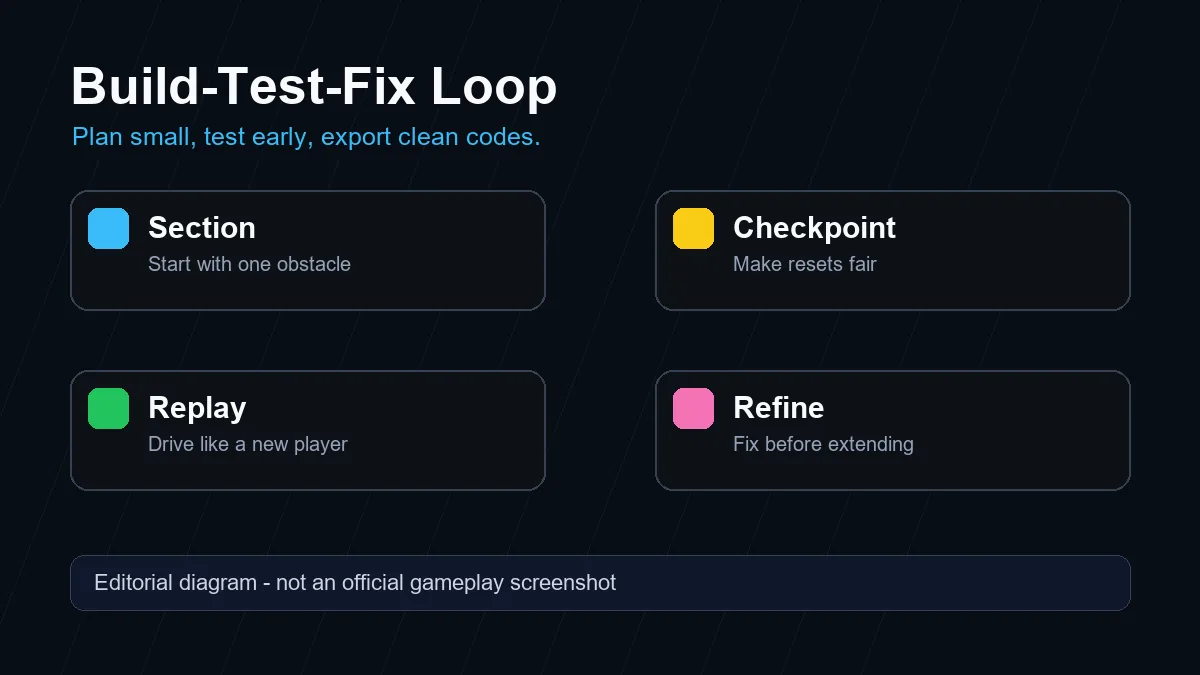
Treat track creation as a loop: sketch the route, build a small section, drive it, fix the failure point, and only then extend the layout.
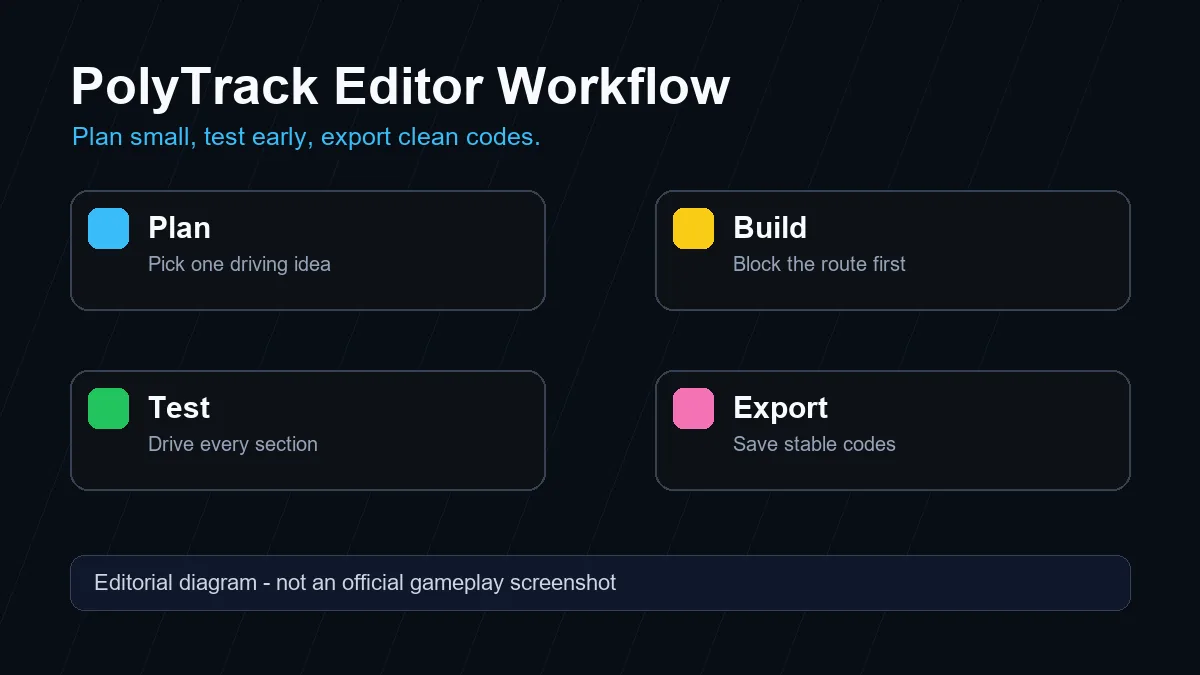
Pick one driving idea
Decide whether the track is about speed, jumps, tight turns, scenery, or puzzle routing. A single idea makes the layout easier to test.
Block the route first
Place broad road pieces and checkpoints before adding decorations. The first draft should prove that the route direction is readable.
Test one section at a time
Drive the opening, first jump, first tight corner, and first checkpoint separately. Fix angles before copying the pattern.
Export backup codes often
Copy a track code after each stable milestone so a browser refresh or bad edit does not erase the working version.
Share with context
When you publish a code, include difficulty, expected route, version notes, and whether the track is for speedruns or casual practice.
Track Plan
Plan track parts before polishing the map
A playable PolyTrack map needs more than interesting shapes. Each part should tell the driver what to do next and give enough space to recover.
| Track part | Purpose | Test before sharing |
|---|---|---|
| Opening straight | Lets players learn speed and steering feel before the first obstacle. | Can a new player reach the first checkpoint without guessing? |
| First corner | Sets the difficulty tone and teaches whether the track rewards braking or fast turning. | Does the corner punish late braking without feeling random? |
| Jump or ramp | Creates drama, but only works when takeoff angle and landing width are clear. | Can the car land straight if the player enters from the intended line? |
| Checkpoint chain | Keeps resets fair and makes testing easier while building. | Does every checkpoint save time instead of trapping the player? |
| Finish approach | Gives the final run a clean ending instead of a confusing last-second collision. | Can a clean run finish without hitting scenery or invisible edges? |
Testing rhythm
Drive like a new player first
Your first test should not be a perfect run. Approach corners late, land slightly off center, and restart from checkpoints. If the track only works when the creator drives it perfectly, it will feel broken to most players.
After the beginner pass, drive a speed pass. Hold acceleration where a competitive player would, cut corners naturally, and check whether shortcuts skip required checkpoints. This reveals whether the editor layout needs walls, wider roads, or clearer checkpoint placement.
Export habits
Save codes before risky edits
Browser-based editors are convenient, but tabs can refresh and mirrors may store data differently. Keep a text file with dated exports such as first-loop, jump-fixed, checkpoint-pass, and public-version.
When you share a PolyTrack code, add a short note about the intended difficulty and the source build. That context helps other players know whether a failed import is a version issue, a copied-code issue, or a track design issue.
Quality checks
Common PolyTrack editor mistakes
Most frustrating custom tracks fail for predictable reasons. Check these before publishing a code.
Too many ideas in one map
A track with jumps, tight slaloms, hidden paths, and narrow platforms can feel unfocused. Make the first public version about one clear challenge.
Checkpoint spacing is unfair
Long gaps make resets painful; checkpoints inside unstable landings can trap players. Test resets from every checkpoint.
Ramps are not aligned
A ramp that looks exciting but launches the car sideways will feel random. Align takeoff, landing, and camera read before adding decoration.
The route is hard to read
If players cannot tell where to drive next, add a simpler line, wider transition, or clearer checkpoint order before adding more pieces.
Share checklist
Before sharing a PolyTrack track code
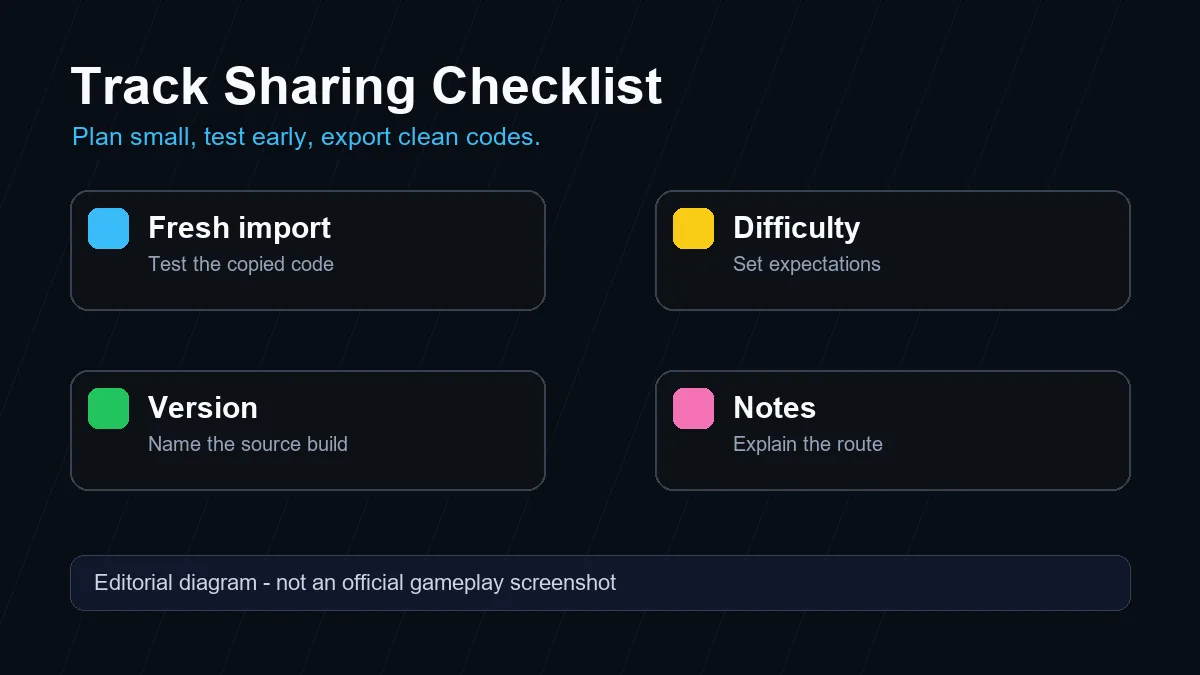
Run the final code from a fresh page before sharing it. Import the copied code, start the track, pass the first checkpoint, restart once, and finish at least one clean lap or route. This proves the shared text is not an old draft.
Describe the track in plain terms: beginner loop, jump practice, technical corners, speedrun route, or experimental build. Players decide faster when they know the intended experience before pasting a code.
Avoid claiming that a code is official unless it comes directly from Kodub or a clearly first-party source. Community tracks are useful, but attribution and version context keep the page safer for players.
FAQ
PolyTrack editor FAQ
Does PolyTrack have a track editor?
PolyTrack builds commonly include custom track or editor features, but exact controls and menus can vary by hosted version. Check the source you are using before assuming every mirror has the same editor.
How do I make a good PolyTrack track?
Start small, test every section, place fair checkpoints, keep jumps readable, and export backup codes after stable milestones. A short polished track is better than a long confusing one.
Where should I share a PolyTrack code?
Share it only where the community accepts custom codes, and include difficulty, version notes, and a short route description. Do not bundle installers or unrelated files with a browser-game track code.
Why does my imported PolyTrack code fail?
The code may be copied incompletely, built for a different version, or pasted into a mirror with different editor support. Try the code again from a fresh page and compare with a trusted source.
Is this the official PolyTrack editor documentation?
No. This is an independent fan guide. PolyTrack is created by Kodub, so official creator pages should be checked first for version-specific information.