Troubleshooting guide
Why Is PolyTrack Not Loading? 9 Fixes for Black Screens and Stuck Games
If PolyTrack shows a black screen, freezes halfway, ignores the keyboard, or fails inside an embedded frame, use this checklist before assuming the game is gone. Most failures come from browser focus, blocked iframe resources, network filters, stale mirrors, or version-specific loading bugs.
Short answer
What to do first when PolyTrack will not load
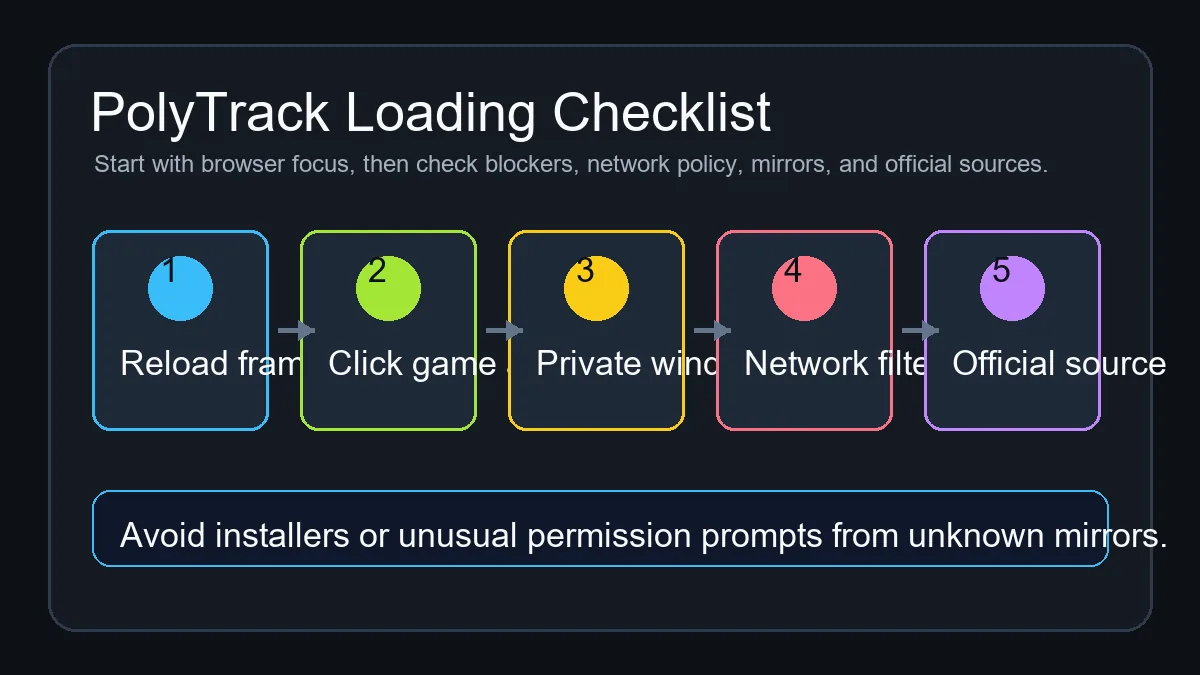
First reload the game frame, click inside the game area, and try a private window with extensions disabled. If the page still stays black or only half loads, check whether your school, work, or public network blocks GitHub Pages, itch.io, iframe content, or game scripts. Then compare the current mirror with Kodub's official PolyTrack page or the creator's itch.io listing.
Do not install an extension, run an executable file, or grant strange permissions just because a mirror says PolyTrack needs it. PolyTrack is normally playable in a browser. A safe troubleshooting path should move from refresh and focus checks, to browser cache and extension checks, to network policy checks, and only then to a different trusted source.
This page is intentionally separate from the main PolyTrack play page. The homepage should stay focused on playing and controls, while this guide handles the support intent behind searches such as why is PolyTrack not loading, PolyTrack black screen, PolyTrack controls not working, and PolyTrack iframe blocked.
Fast diagnosis
Match the symptom before changing sources
PolyTrack loading failures look similar from the outside, but the fix depends on where the game stops. Use the table before switching links or clearing everything.
| Symptom | Likely cause | First fix |
|---|---|---|
| Black frame or blank canvas | The iframe or game assets did not finish loading, often because the host, CDN, or third-party script was blocked. | Reload the frame, disable strict extensions for this page, then test the same URL in a private window. |
| Page loads but keys do nothing | The browser has not focused the game canvas or another page element captured the keyboard. | Click inside the game frame once, then try the driving keys and restart key again. |
| Game stops halfway through loading | A stale mirror, version-specific asset bug, or browser compatibility issue interrupted level or resource loading. | Hard refresh, clear site data for that host, then compare with Kodub or itch.io. |
| Works at home but not at school or work | Network filtering may block game hosts, iframes, GitHub Pages, or media resources. | Use a personal network where allowed, or open the official creator page outside the restricted network. |
| Mobile page loads but driving is awkward | Some mirrors are designed around keyboard controls and may not expose reliable touch controls. | Use a desktop browser when possible, or try a mirror that explicitly supports mobile controls. |
Repair workflow
9 fixes for PolyTrack loading problems
Run these checks in order. The early steps are reversible and protect the main play page from unnecessary changes.
Reload only the game frame first
Use the reload button on this site or refresh the embedded frame. A single failed asset request can leave the game blank even when the rest of the page looks normal.
Click inside the game area
Browser games often need focus before they can read keyboard input. Click the canvas or frame, then test accelerate, steering, brake, and restart.
Try a private window
Private browsing quickly separates site problems from cached data, extension rules, old service workers, or modified browser settings.
Disable heavy blockers for the page
Ad blockers, privacy filters, school extensions, and script blockers can block iframe resources. Temporarily allow the game host only if you trust the source.
Hard refresh and clear site data
Use a hard refresh, then clear cached data for the specific host if the same broken state keeps returning. Avoid clearing unrelated browser data unless you need to.
Check network restrictions
If PolyTrack works on another network, the issue is probably a local filter. Follow school or workplace policy and do not bypass restrictions that apply to you.
Compare with the official source
Open Kodub's official page or the creator's itch.io listing to verify that you are not troubleshooting an abandoned mirror.
Try a different trusted mirror
If the official source works but one mirror fails, the mirror may be stale or missing files. Prefer browser play and avoid download prompts.
Record what changed
If you report the issue, include browser, device, network type, source URL, and the exact symptom. That is more useful than saying only that PolyTrack is broken.
Common cases
Specific PolyTrack loading situations
These are the scenarios players usually mean when they search for PolyTrack not loading or why PolyTrack is not working.
Black screen after opening
A black screen usually points to blocked or missing assets. Reload once, test private mode, and compare with another trusted source before changing browser settings deeply.
Controls not responding
Keyboard focus is the first thing to check. Click inside the frame, avoid scrolling the page while testing, and confirm that your keyboard layout is not remapping keys.
Blocked on a managed network
Managed networks can block game hosts or embedded scripts. This is a policy issue more often than a PolyTrack issue, so use allowed networks and official links.
Old GitHub or GitLab mirror
Static mirrors can freeze an older build. If a mirror breaks, compare with Kodub, itch.io, or this site's current embedded player.
Mobile browser trouble
PolyTrack is more reliable with keyboard controls. Mobile can work on some builds, but touch controls, orientation, and fullscreen behavior vary by mirror.
Suspicious download prompt
A browser game should not require an executable installer or unrelated extension. Leave the page if a mirror turns a simple play session into a download flow.
Source checks
Official source or broken mirror?
Kodub is the creator of PolyTrack, so creator-owned pages are the best reference when a mirror fails. The official page and itch.io listing help you separate a real game issue from a third-party hosting issue.
GitHub Pages, GitLab Pages, and classroom-friendly mirrors can be useful for quick access, but they are not automatically official. If only one mirror fails, troubleshoot that host instead of assuming every PolyTrack version is broken.
Browser notes
Why browser and version details matter
Browser game loading depends on scripts, assets, canvas rendering, keyboard focus, and sometimes local storage. A bug can affect one browser or one route without affecting every player.
Kodub update notes have mentioned loading-related fixes before, including cases where failed resources could leave the game stuck and a Firefox issue around level loading. That is why a browser check and an official-source comparison are both useful before reporting the problem.
If it still fails
What to record before reporting a PolyTrack loading bug
Good bug details separate a broken mirror from a real game issue.
Browser and device
Record Chrome, Edge, Firefox, Safari, mobile WebView, Chromebook, or desktop details.
Exact source URL
Include whether you used Kodub, itch.io, GitHub Pages, GitLab, this embedded frame, or another mirror.
Visible symptom
Say whether the frame is blank, assets are missing, keys fail, loading freezes, or mobile controls do not appear.
Network context
Note school, work, home, VPN, public Wi-Fi, and whether a private window changed the result.
FAQ
PolyTrack Not Loading FAQ
Why is PolyTrack not loading?
The most common causes are blocked iframe resources, browser extensions, cached broken files, network filters, stale mirrors, or a browser-specific loading bug. Start with reload, focus, private mode, and official-source checks.
Why does PolyTrack show a black screen?
A black screen usually means the game canvas appeared but required assets or scripts did not complete. Test private mode, disable strict blockers for the trusted host, and compare with Kodub or itch.io.
Why are PolyTrack controls not working?
Click inside the game frame first. If the browser focus is on the page instead of the game canvas, keyboard controls may not reach PolyTrack.
Is PolyTrack down if one GitHub mirror fails?
No. A single GitHub or GitLab mirror can be stale, blocked, or missing files while the official source still works. Compare multiple trusted sources before deciding the game is unavailable.
Should I download something to fix PolyTrack?
Most players should not need to download anything. Avoid installers, extensions, or permission prompts from unknown mirrors, and prefer browser play from trusted sources.
Can I play PolyTrack on mobile?
Some browser builds may open on mobile, but PolyTrack is more reliable with keyboard controls. If mobile input fails, test on desktop before assuming the game is broken.