Modded versions and safety
PolyTrack Mods Guide: What Is Safe, What Changes, and What to Avoid
PolyTrack mods can mean community builds, beta experiments, mirror changes, track libraries, or small interface tweaks. This guide separates those ideas so you can try modded PolyTrack versions carefully without confusing them with official Kodub releases.
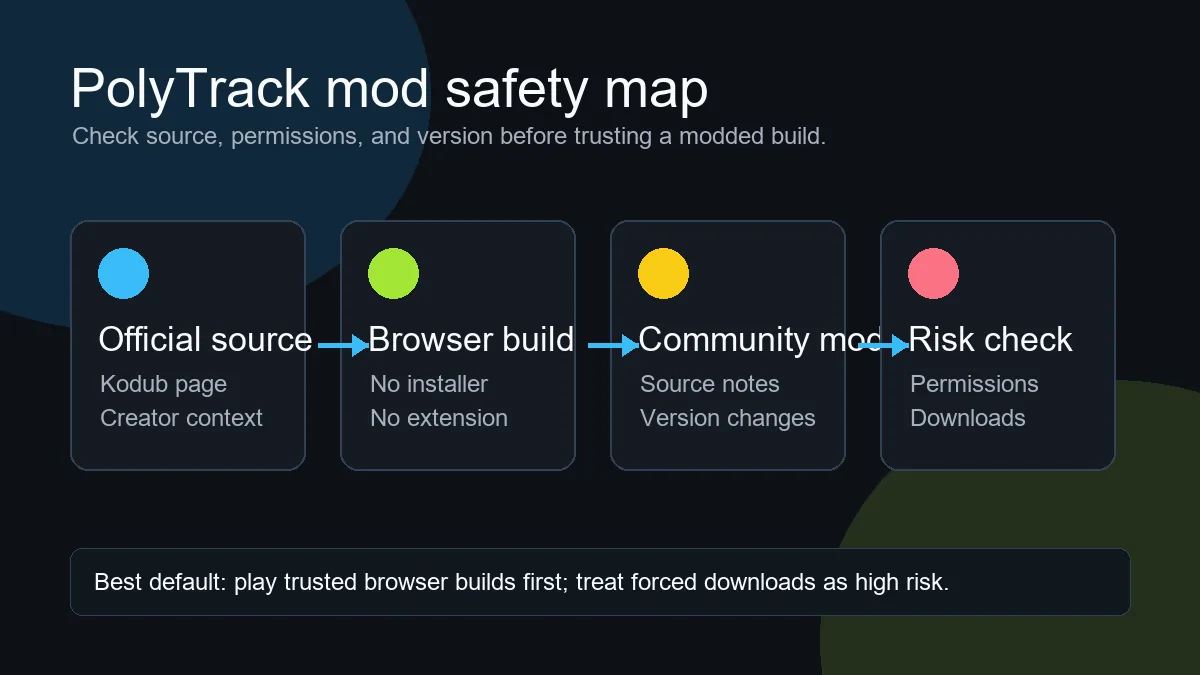
Short answer
What are PolyTrack mods?
PolyTrack mods are unofficial changes around the browser racing game PolyTrack. The term is broad: some players use it for community-hosted versions, some mean beta builds with newer physics or editor options, and others mean track collections, code import helpers, or mirror pages that change how the game is loaded. A mod is not automatically unsafe, but it is also not automatically official.
The safest way to think about PolyTrack modded versions is to separate content from code. A custom track code is usually plain text that the game imports. A modded build changes the game files, JavaScript, physics, interface, or hosting source. That difference matters because a text track can be tested in the browser build you already trust, while a modified build asks you to trust whoever changed and hosted the game.
If you only want new maps, start with the custom tracks guide instead of searching for mod packs. If you want experimental features, use official Kodub pages and clearly attributed community repositories as reference points. Avoid any page that turns a browser game into an installer, extension, executable download, or account funnel before it lets you play.
Intent match
Different searches for PolyTrack mods mean different things
Before trying a result, identify which kind of mod you are actually looking at. A safe track collection and a modified game build should not be judged the same way.
| Mod type | What changes | Risk check |
|---|---|---|
| Custom tracks and codes | The track layout, checkpoints, jumps, and racing route are changed through imported text codes. | Low risk when the code is text-only and copied from a trusted creator or community page. |
| Community-hosted builds | The game is loaded from a mirror or fork that may bundle a different version, fixes, or local changes. | Check attribution, repository history, and whether the page asks for downloads or unusual permissions. |
| Beta or experimental versions | Physics, editor behavior, graphics, performance, or export formats may differ from the stable build. | Prefer official Kodub announcements or clearly linked source notes before trusting claims about new features. |
| Downloadable mod packs | Files outside the browser may be offered as scripts, extensions, launchers, or packaged builds. | Treat as high risk unless the source is reputable, transparent, and unnecessary permissions are absent. |
Practical checklist
How to check a PolyTrack mod before you play
A short verification flow is enough for most players. The goal is not to audit every line of code; it is to avoid obvious traps, mislabeled mirrors, and downloads that do not belong in a browser game session.
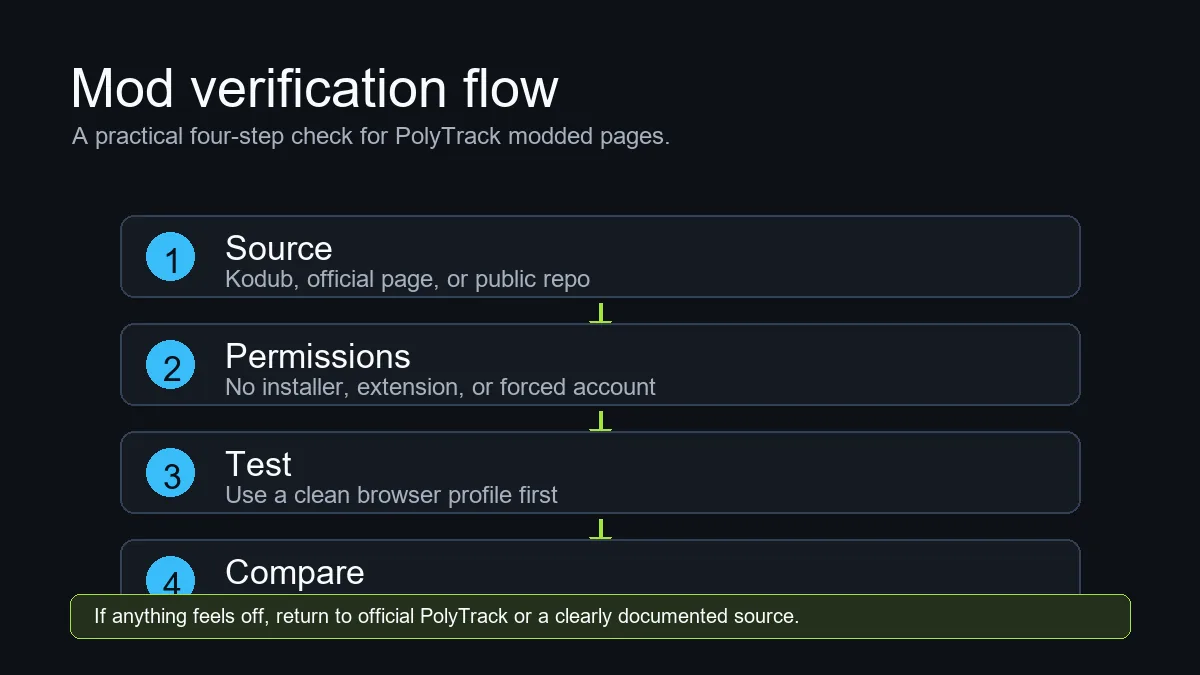
Start from the source claim
Look for a direct link to Kodub, an official game page, a public repository, or a known community page. If the page only says official without proof, treat it as a mirror claim, not a fact.
Avoid forced installers
PolyTrack is a browser game. A normal play link should not require an executable, extension, notification permission, or unrelated account before loading the game.
Test in a separate browser profile
When you try an unfamiliar modded build, use a clean profile or incognito-style session, avoid signing into unrelated services, and do not import your favorite track list until the page behaves normally.
Compare behavior with the stable game
Run one familiar track in the normal build and one in the modded build. If controls, physics, saves, or ads behave unexpectedly, keep notes and do not make that mirror your default source.
Important boundary
PolyTrack mods are not the same as custom tracks
Many searches mix the words mods, tracks, maps, and codes. In practice, the boundary is simple. A custom track changes the level you drive; a modded version changes the game environment that loads or interprets that level. If you only want more racing routes, a track code is usually enough. If you want a new editor feature, altered handling, a different menu, or a packaged mirror, you are evaluating a modded build.
That boundary prevents unnecessary risk. A player who wants a new challenge does not need to download anything. They can import a code, test whether the route works, and leave if the map is broken. A player testing a modified build should be more cautious because the page can include extra scripts, storage behavior, ads, redirects, or version differences that affect the whole session.
For creators, describe your work clearly. If you are sharing a track, call it a track code and include version notes. If you are sharing a fork or modded build, state what changed, where the source lives, whether saves are local, and whether the build is compatible with current track exports.
Beta and school mirrors
Be careful with beta, unblocked, and mirror wording
Search results often combine PolyTrack mods with terms such as beta, unblocked, GitHub, GitLab, and backup. Those terms describe access or hosting, not necessarily a better or safer game. A beta can be useful when it is announced by the creator or documented by a trusted repository, but a random mirror using beta in the title may simply be chasing clicks.
Unblocked pages deserve the same caution. They may help players reach a browser game from a restricted network, but they can also add aggressive ads, hidden redirects, or outdated builds. If you are on a school or work network, follow local rules and prefer official or clearly attributed sources when access is allowed.
When a mirror claims to be modded, look for specifics. Good notes say which version is used, which feature changed, and what is unsupported. Weak notes say only newest, free, unlocked, or official without showing evidence.
Red flags
Avoid these PolyTrack mod warning signs
A suspicious page usually shows one or more of these patterns before you ever reach the game.
Forced download
A browser game page that requires an installer, executable, extension, or launcher before play is not a normal PolyTrack mod page.
Permission pressure
Notifications, clipboard prompts, popups, or account walls are unnecessary for simply testing a racing build or track code.
Fake official wording
Claims such as official mod, latest unlocked, or Kodub approved need a source link. Without one, treat them as marketing text.
No version notes
A modded build should explain what changed. If there is no version, source, or compatibility note, expect broken imports or inconsistent physics.
Sources
Use official and transparent references first
| Source | Use it for | Link |
|---|---|---|
| Kodub PolyTrack page | Baseline game access, creator attribution, and stable source context. | Open Kodub PolyTrack |
| Kodub itch.io page | Creator profile, community comments, and public release context when available. | Open itch.io page |
| Public repository or mirror notes | Checking what changed in a community build before you trust it as a modded version. | Read mirror guide |
FAQ
PolyTrack Mods FAQ
Are PolyTrack mods official?
Most PolyTrack mods and mirrors are unofficial unless they are published or clearly linked by Kodub. Treat community builds as independent projects and verify the source before trusting them.
Do I need a mod to play custom PolyTrack tracks?
Usually no. Custom tracks are often imported as text codes inside the normal game or editor. A modded build is only needed when a track depends on a different version or changed physics.
Is a PolyTrack mod safe if it runs in the browser?
Running in the browser is safer than downloading unknown executables, but it is not a full guarantee. Check the host, permissions, redirects, ads, and source notes before using it regularly.
Why do some modded PolyTrack versions break my track codes?
Modified builds can change physics, editor pieces, storage, or import formats. A code made for one version may load incorrectly or fail completely in another build.
What should I avoid when searching for PolyTrack modded?
Avoid forced downloads, extensions, fake official claims, pages with no source notes, and mirrors that hide the actual game behind popups or account requirements.