Google Sites mirror guide
PolyTrack Google Sites: Safe Mirror Checks Before You Play
A PolyTrack Google Sites result can be a convenient browser mirror, a school-friendly unblocked page, or a stale third-party copy. Use this guide to check source trust, avoid risky prompts, and fall back to official Kodub links when a mirror is unclear.

Short answer
Is PolyTrack Google Sites official?
Usually, no. A PolyTrack Google Sites page is normally a third-party mirror or index page, not the creator-owned PolyTrack source. It may still load a browser build, but the Google Sites domain does not prove that the page is current, official, or safe to download from.
Use Google Sites mirrors only for browser play or discovery. If a page asks you to install files, add extensions, sign in to unrelated accounts, or disable browser protections, leave it and use a cleaner PolyTrack source instead.
This topic deserves its own page because the intent is different from PolyTrack unblocked and PolyTrack GitHub. Unblocked pages focus on access; GitHub pages focus on source and archive checks; Google Sites searches focus on deciding whether a specific site-builder mirror is worth trusting.
Mirror check
How to judge a PolyTrack Google Sites result
Use the table before clicking through a Google Sites mirror, especially when search results show many similar pages.
| Signal | What it means | Best action |
|---|---|---|
| Creator links are visible | The page links back to Kodub or itch.io and explains that PolyTrack is created by Kodub. | Use it as a convenience mirror, then verify important version claims with the creator source. |
| Browser-only game frame | The mirror tries to load PolyTrack in the browser without downloads or extra permissions. | Acceptable for quick play if the page is readable and does not hide the game behind popups. |
| Download or extension prompt | The page is adding steps that a normal browser build should not need. | Do not install anything. Switch to the official page, itch.io, or this site's browser player. |
| No attribution or version notes | The mirror may still work, but there is no clear source trail. | Treat it as low trust and avoid using it for downloads, updates, or record comparisons. |
Safe flow
A safe flow for PolyTrack Google Sites mirrors
The goal is to solve the access problem without confusing a mirror with an official source.
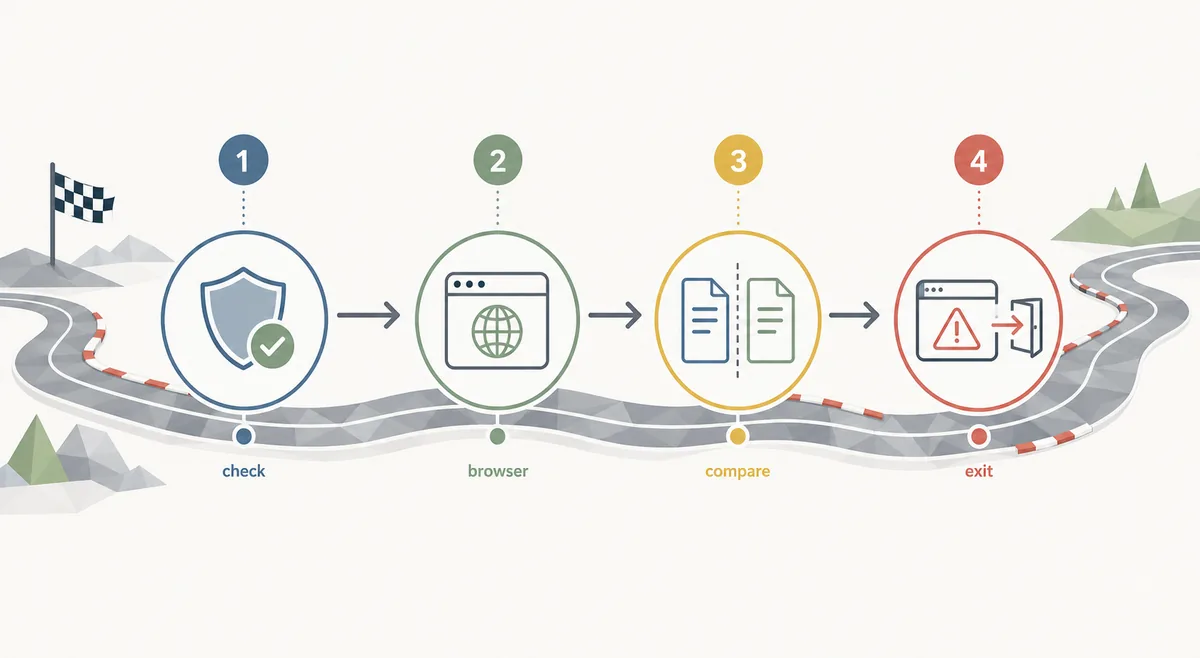
Open the mirror as a browser page
A reasonable Google Sites result should show a playable frame, a simple launch link, or a clear explanation. It should not start with a file download.
Look for creator attribution
A useful mirror should name Kodub and ideally link to the official Kodub page or itch.io listing. Missing attribution is a reason to be cautious.
Compare version-sensitive claims
If the mirror says it has a new build, multiplayer support, mods, or a special version, compare that claim with official or better-documented sources before trusting it.
Leave when the page adds friction
Popups, forced extensions, executable files, unrelated account walls, and fake play buttons are enough reason to close the page.
Comparison
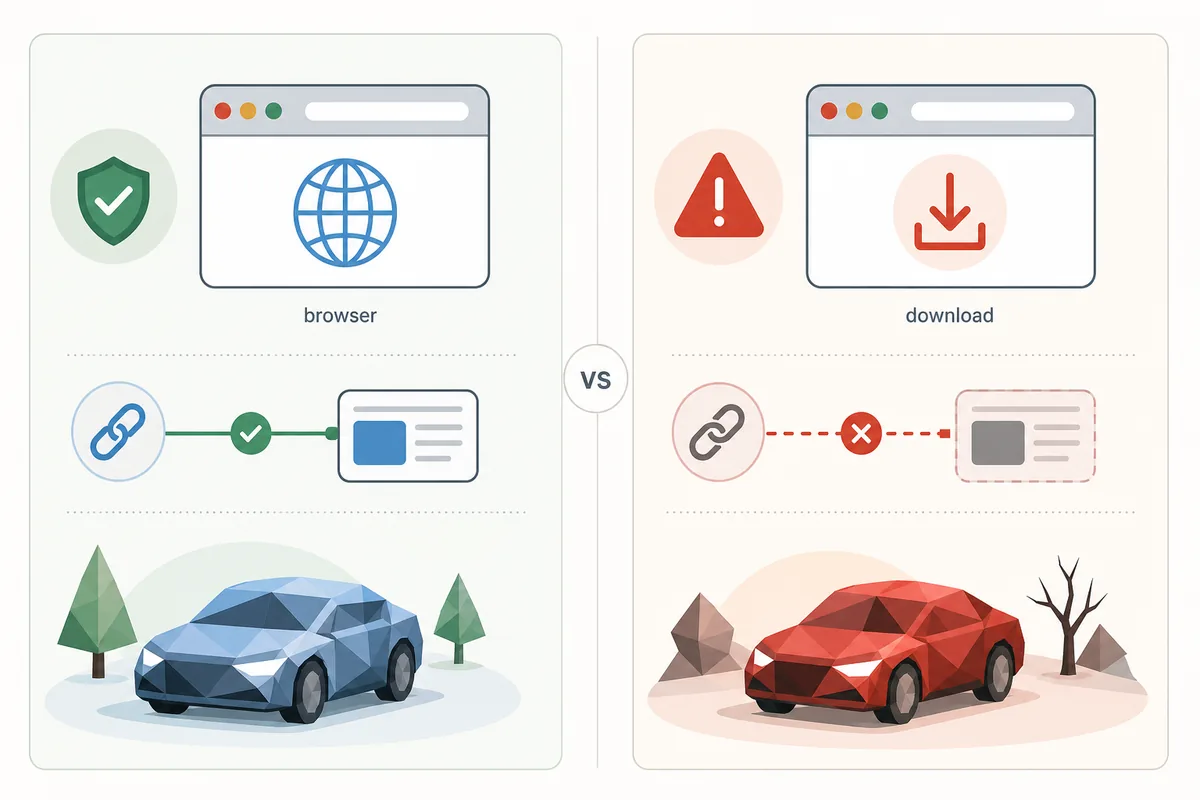
Google Sites mirror vs safer PolyTrack sources
A mirror can be useful, but it should not replace a trusted reference when you need version accuracy or safe downloads.
| Use case | Best fit | Avoid |
|---|---|---|
| Quick browser play | A clean Google Sites or GitHub Pages mirror that loads the game directly. | Pages that cover the game with ads, fake buttons, or sign-in steps. |
| Official source check | Kodub's PolyTrack page and creator-owned listings. | Treating a site-builder mirror as official because it ranks in search. |
| School or work network issue | Use permitted access only, or return on a personal network. | Bypass instructions, proxy chains, or policy evasion guides. |
| Download intent | Use the PolyTrack download guide and creator references. | Random executable files from a Google Sites page. |
Intent boundary
How this differs from PolyTrack unblocked
PolyTrack unblocked searches usually mean the player wants a page that loads despite a network filter. PolyTrack Google Sites searches are narrower: the player has seen or expects a Google Sites-hosted mirror and wants to know whether it is usable.
That distinction matters for page choice. If your main problem is access, start with the unblocked guide. If your main question is whether a Google Sites result is trustworthy, use this checklist and keep the official creator source nearby.
Version context
Why Google Sites mirrors can be outdated
Google Sites pages are easy to create and easy to leave unchanged. A mirror can keep an older PolyTrack build long after players discuss newer controls, custom tracks, or loading behavior elsewhere.
For casual play, an older build may be fine. For troubleshooting, custom track imports, speedrun comparisons, multiplayer claims, or downloads, version uncertainty becomes a real problem. Compare the page with Kodub, itch.io, this site's GitHub guide, or another documented source before making assumptions.
Practical choice
When should you use a PolyTrack Google Sites mirror?
Use one when it is browser-only, readable, lightly documented, and you only want a quick race. Do not use it as proof of official ownership, current release status, world-record rules, or safe download availability.
If the mirror fails, do not keep clicking through unrelated pages. Try the embedded player on this site, open Kodub, check itch.io, or read the not-loading guide for iframe, browser focus, and network filter issues.
Decision checklist
What to record before trusting a PolyTrack Google Sites mirror
Write down the exact page address and the promise that brought you there. A result labelled PolyTrack Google Sites may be a playable embed, a link list, an old copy, or a page built mainly to push another download. Naming the page type keeps a quick browser test separate from a claim that the mirror is official.
Open the creator reference in a separate tab and compare the basic story: who made PolyTrack, where the game is meant to run, and whether the mirror explains its source. A clean layout is not proof of ownership, and a high search position is not a version check. Attribution, a working browser frame, and a sensible explanation are stronger signals than branding alone.
Keep browser play and file downloads as two different decisions. For a browser game, an unexpected executable, extension, notification permission, or account request is unnecessary friction. If you need installation information, use the dedicated download guide and creator-owned references instead of accepting a file offered by a Google Sites mirror.
If you share a mirror with another player, include the full address, the date you checked it, what loaded, and any warning you saw. Do not describe a third-party page as official just because it contains the PolyTrack name. This small note helps others repeat the check and makes it easier to spot a stale copy when controls, tracks, or loading behavior change.
FAQ
PolyTrack Google Sites FAQ
Is PolyTrack Google Sites safe?
It can be safe for browser-only play when the page is transparent, avoids downloads, and links to trustworthy source context. It is not automatically official or current.
Is a Google Sites PolyTrack page official?
Usually no. Treat it as a third-party mirror unless Kodub directly links to it.
Why do schools show PolyTrack Google Sites results?
Managed networks often block game domains, so players search for mirrors on site-builder hosts. Access still depends on local policy and filters.
Should I download PolyTrack from Google Sites?
No for normal play. PolyTrack should run in the browser for this intent. Use creator-owned references and the download guide before trusting any file.
What should I do if a Google Sites mirror is blank?
Reload once, check browser focus, then switch to a trusted source or the not-loading guide. Do not install extensions just to fix a blank frame.