Online racing status
PolyTrack Multiplayer Guide: Online Racing, Beta Status, and Friend Races
Players search for PolyTrack multiplayer because the game feels perfect for live races, ghosts, and shared custom tracks. This guide explains what is visible today, how to compete with friends safely, and which multiplayer claims deserve extra checking.
Short answer
Does PolyTrack have multiplayer?
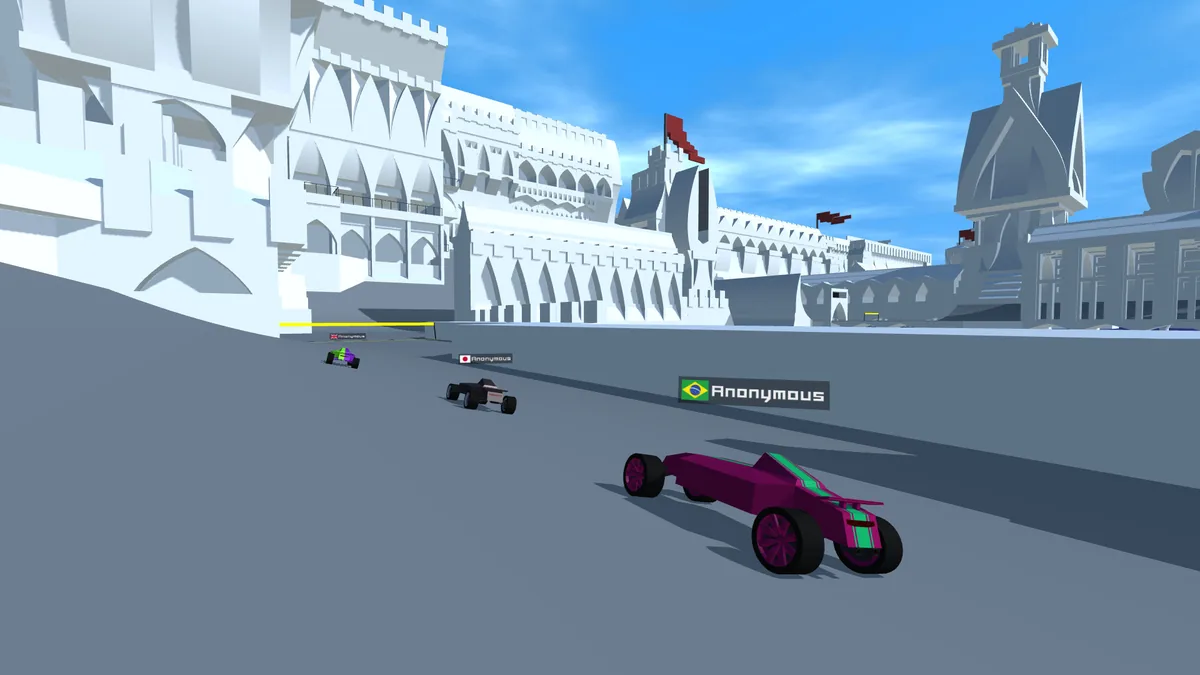
PolyTrack is best known as a browser time-trial racing game, but Kodub has publicly shown multiplayer beta testing and online-race development media. That means the multiplayer idea is real in the creator ecosystem, but availability can still depend on the version, host, browser build, and whether you are looking at an official Kodub source or a third-party mirror.
For most players, the safest practical answer is this: use the official Kodub pages for current multiplayer news, and use shared track codes, ghost comparison, recorded times, and challenge rules when live multiplayer is not available in the build you are using. Do not install random executables, extensions, or APK files just because a page promises online multiplayer.
This page is separate from the download, GitHub, custom tracks, and speedrun guides. Download intent is about files and platform safety; GitHub intent is about source checks; track intent is about map codes. Multiplayer intent is about live racing status, friend competition, ghosts, and safe ways to compare times.
Mode comparison
PolyTrack multiplayer status by play style
Use this table to decide whether a search result is likely helping you play with friends or just reusing the word multiplayer for clicks.
| Play style | What to check | Best use |
|---|---|---|
| Official multiplayer beta | Check Kodub update posts and creator-owned links before assuming a beta build is public or current. | Best for following live-race development and avoiding fake beta downloads. |
| Same-track time challenge | Use one track code, one version, and the same reset rules for every player. | Best for friend competitions when live online rooms are not available. |
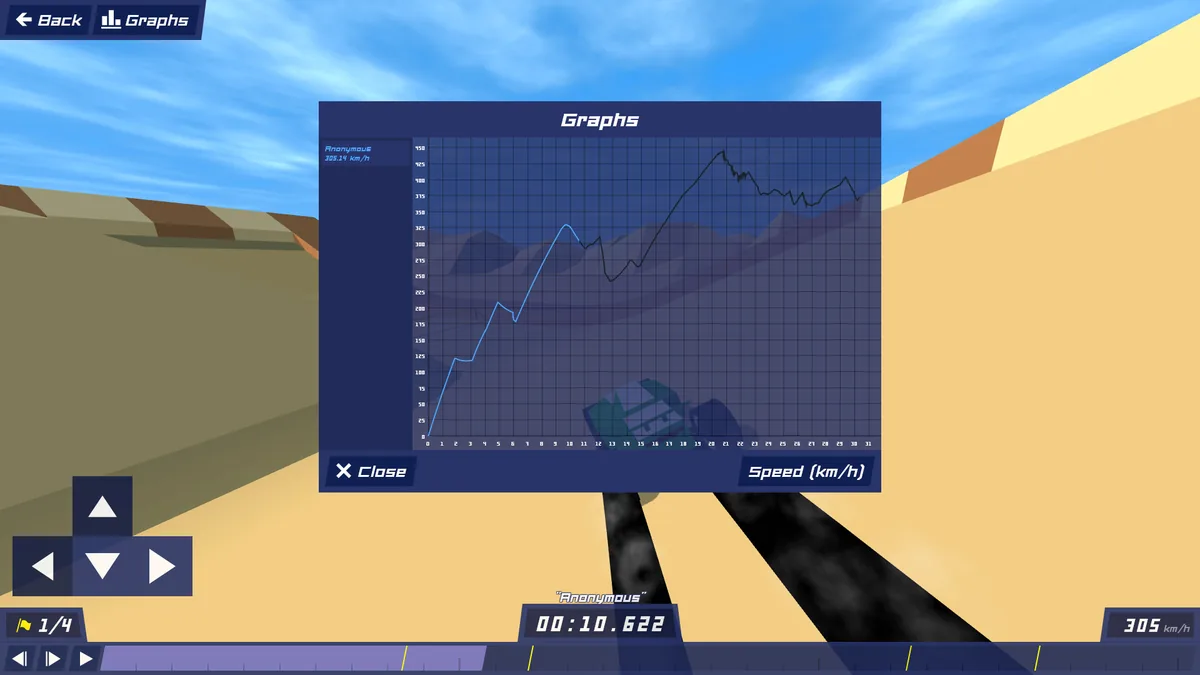
| Ghost or recorded run | Compare one segment at a time and note the version, track, and date of the run. | Best for improving a personal best without needing real-time servers. |
| Third-party multiplayer claim | Verify the source, permissions, file type, and whether the claim links back to Kodub. | Usually a no-action item unless the source is trusted and transparent. |
Official source signal
What the Kodub multiplayer update actually tells players
The clearest public signal is Kodub's own multiplayer beta testing update. It shows that online racing work exists and that the game has been tested beyond a single-player time-trial frame. That is useful evidence, but it is not the same as every mirror or embedded copy supporting live multiplayer today.
When you find a PolyTrack multiplayer result, check the date first. A beta note, video, or screenshot may describe a test window, a development branch, or a future-facing feature. If the page does not identify the version, source, or creator link, use it as a clue rather than a download instruction.
The safest source hierarchy is simple: Kodub website first, Kodub itch.io second, then transparent community pages that clearly explain what they host. Search snippets that promise unlocked online rooms, mod menus, or multiplayer APKs without source context should be treated as risky.
Play with friends
How to race friends when live multiplayer is not available
You can still make PolyTrack competitive without trusting a random multiplayer build. Keep the rules simple, visible, and repeatable.
Share one track code
Use the same custom track code and version, then compare finish times after a fixed number of attempts.
Set reset rules
Agree whether resets are allowed, whether wall touches count, and whether every player must finish the full route.
Record the run
A short recording is enough to verify route, version, and major mistakes when friends are not racing live.
Use PB brackets
Group players by personal-best range so beginners are not chasing record-level routes immediately.
Safe setup
A safer PolyTrack multiplayer checklist
Before joining a supposed multiplayer build or sharing a challenge link, walk through the same source checks you would use for downloads and mods.
Start from a creator-owned source
Open Kodub's site or itch.io page first so you know what the official game context looks like before using mirrors.
Check the build and date
A multiplayer post from one period may not describe the browser build you are currently playing.
Avoid permission-heavy downloads
PolyTrack multiplayer should not require unrelated browser extensions, suspicious installers, or account prompts from unknown sites.
Use time challenges as a fallback
If live rooms are unavailable, shared tracks and ghost-style PB rules still satisfy the main friend-race intent.
FAQ
PolyTrack multiplayer FAQ
Can I play PolyTrack multiplayer online right now?
It depends on the active build and source. Kodub has shown multiplayer beta testing, but not every browser mirror or embedded version supports live online racing.
Is PolyTrack multiplayer the same as ghosts?
No. Multiplayer usually means live racing with other players, while ghosts or recorded runs help you compare timing without real-time opponents.
How can I play PolyTrack with friends safely?
Use the same track code, version, and reset rules, then compare times or recordings. Use official Kodub sources for any live multiplayer build claims.
Are PolyTrack multiplayer downloads safe?
Only trust downloads or beta links that are clearly tied to Kodub or another transparent source. Avoid installers, extensions, or APKs that use multiplayer claims without source context.
What should I do if a multiplayer page does not load?
Check the official source, browser support, network restrictions, and whether the page is a third-party mirror. The loading guide covers iframe and black-screen fixes.