F1-style track discovery
PolyTrack F1 Tracks: Find, Test, and Choose Formula 1-Style Maps
Looking for PolyTrack F1 tracks? Use this guide to tell a fast, technical, or beginner-friendly F1-style map apart, find useful community sources, check compatibility, and practice a route without assuming that every result is official Kodub content.

Short answer
What are PolyTrack F1 tracks?
PolyTrack F1 tracks are usually community-made or creator-shared routes that borrow the visual language or driving rhythm of Formula 1 circuits: long straights, braking zones, chicanes, hairpins, curbs, and a clear start-to-finish lap. The phrase does not automatically mean that the route is an official Kodub campaign level or an officially licensed recreation of a real Grand Prix circuit.
The most useful way to judge a PolyTrack F1 map is to separate three questions. Does the layout feel like a circuit rather than a stunt course? Is the source clear enough to identify the creator and expected build? Can you complete the whole route and repeat it without broken checkpoints, missing scenery, or an unexplained download request? A track that passes those checks is a better practice target than a dramatic title with no context.
Start with the source, then inspect the layout, then test it at low speed. Keep the official Kodub pages for creator and release context, and treat videos, code libraries, forum posts, and community pages as leads that still need verification. This page is a discovery and decision guide, not a list of guaranteed official F1 circuits.
Define the search
F1-style is a driving shape, not an official label
Search results can mix real-world circuit names, fan-made layouts, videos, code collections, and unrelated racing content. Use the wording as a clue about the route style, then verify what the page actually provides.
Circuit feel
Look for rhythm and racecraft
A convincing F1-style route often alternates between acceleration and controlled braking. It may give you a long run toward a corner, a direction change that rewards a clean line, a curb that punishes oversteer, and a recovery area that makes a mistake understandable rather than random. The track does not need to copy a real circuit to feel purposeful.
Read the route as a sequence of decisions. Ask where the fastest line begins, whether the next corner is visible before a jump or blind crest, and whether the finish follows a complete lap. Good design makes speed feel earned. A route that is only a straight road with a Formula 1 name may fit the keyword but not the player's expectation.
Source boundary
Keep official and community content separate
Kodub's creator-owned pages are the right place to confirm the game, release context, and official updates. A community track, YouTube showcase, Reddit post, or third-party code library can still be useful, but its title and availability come from that community source. Label it as community material instead of turning a fan-made F1 reference into an official claim.
This distinction matters when a page uses a real place name such as Silverstone, Monaco, or Monza. The name may describe the inspiration, a visual joke, or a fan recreation. Before you call it a track for the current build, look for a complete code, creator, date, version note, and a route that you can actually test.
Choose by feel
Which PolyTrack F1 map fits your goal?
Use this table as a screening tool. It describes useful layout signals, not a ranking of named maps. A community route can change or disappear, so save the source and build context with your practice notes.
| Track type | Best for | Look for | Watch out for |
|---|---|---|---|
| High-speed circuit | Learning racing lines and braking points | A meaningful straight, visible braking zone, and connected corners | A long road is not automatically a complete lap |
| Technical chicane map | Practising steering, curb control, and rhythm | Consistent corner spacing and enough recovery room | Unclear checkpoint placement can make mistakes feel random |
| Hairpin and elevation route | Testing speed management and exits | A readable approach, a stable landing, and a clear exit | Blind drops or impossible respawns may be version issues |
| Beginner F1-style loop | First custom-track attempts and short sessions | Wide track, simple turns, complete start-to-finish flow | Avoid a title that promises a famous circuit but gives no source context |
Four-step shortlist
How to choose a PolyTrack F1 track before importing it
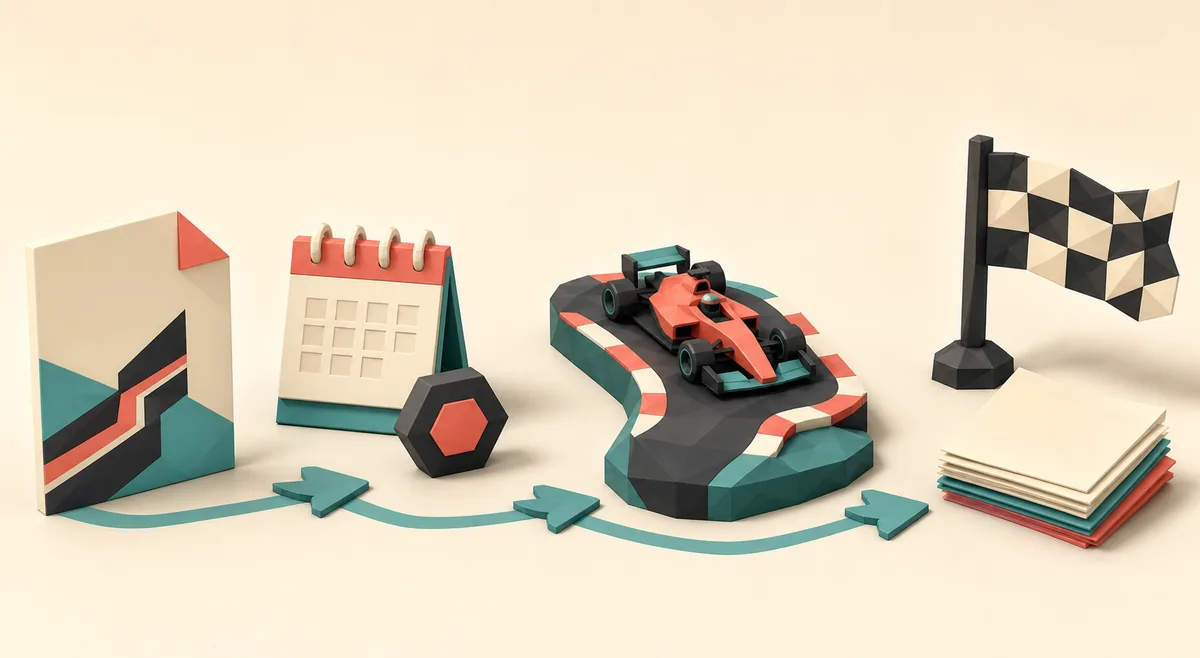
A good shortlist combines the route's driving promise with the source information around it. The image is an editorial concept visual, not a screenshot of a real map directory.

Name the source
Write down the page, creator, community, or video where the route appears. A direct source is more useful than a repost with only a title and a shortened link.
Read the route promise
Look for layout details such as a straight, chicane, hairpin, curb section, or elevation change. If the description only says fast F1 map, treat it as a lead until you see the actual course.
Check the import context
Prefer a complete plain-text code or a clearly documented in-game sharing flow. Note the build, date, creator, and any comments about missing checkpoints or incompatible versions.
Test a slow lap
Spawn, drive every corner, touch each checkpoint, and reach the finish before you chase a time. A route that cannot be completed cleanly is not ready to be your F1 practice target.
Source and build check
Verify a community F1 map without overclaiming
Community track pages are valuable because they show ideas that may not appear in the official campaign. They are also changeable: a code can be edited, a host can go offline, and a route can be designed for a build that behaves differently from the one you are using. Record enough context that you can tell a broken import from a difficult corner.
Do not install an executable, browser extension, or permission-heavy helper just to obtain a track code. A normal custom route should be available as inspectable text or through a clearly explained game/community flow. If a result redirects from an F1 keyword into an unrelated download, close it and return to a source with an identifiable creator.
When a community source names a real circuit, use careful wording in your own notes: F1-inspired, fan-made, or Silverstone-style is safer than official Silverstone recreation. The distinction keeps the guide useful without implying a license, endorsement, or exact recreation that the source does not prove.
Confirm the creator or community
Check whether the post links to a recognizable profile, official community page, or established code collection. Keep the source label visible when you share the route.
Record the version clue
Save the date, release/build number, or compatibility note. If none exists, mark the version as unknown instead of inventing a current-support claim.
Drive the entire route
Test spawn, checkpoints, respawn behavior, jumps, curbs, and finish. Try one careful lap before deciding whether the difficulty is intentional.
Keep a useful record
Store the map name, source, creator, build, route style, and a short result. This makes later PB practice and community feedback much easier.
Practice plan
Turn an F1-style map into a repeatable time trial
Once a track passes the source and completion checks, practise it like a short time trial rather than a one-off stunt. First learn the safe line. Then choose one braking zone, one curb, and one exit to improve. PolyTrack rewards fast resets, but a reset is useful only when you know which decision you are changing.
Use a ghost, replay, or personal split when the build supports it, but do not compare times across unknown versions as if they were the same course. A community map can change without warning. Keep the code and the build note beside your best time so a future update does not erase the meaning of the record.
For a beginner, a wide F1-style loop with visible corners is usually more useful than a famous-name recreation filled with blind jumps. For an advanced player, a technical chicane or long braking zone can provide a clear practice target. The best track is the one whose challenge you can explain and repeat.
- Drive one slow completion lap before chasing a personal best.
- Mark the first corner where speed loss begins, not only the final mistake.
- Practise exits because a clean exit improves the next straight.
- Reset quickly after a clearly bad run, but keep a full lap for route learning.
- Compare only runs made on the same code and compatible build when possible.
- Share the source, version clue, and difficulty note with the track code.
FAQ
PolyTrack F1 Tracks FAQ
Are PolyTrack F1 tracks official?
Usually not. The phrase normally describes community-made or creator-shared F1-style routes. Use Kodub's own pages for official game and release context, and label community maps as community content unless an official source says otherwise.
Where can I find PolyTrack F1 tracks?
Look through identifiable community track pages, code collections, forum posts, and relevant videos. Prefer a source that shows the route, creator, complete code or import method, and a build clue. Treat a search result as a lead until you can test the route.
What makes a PolyTrack map feel like F1?
Long straights, braking zones, chicanes, hairpins, curbs, connected corners, and a complete lap can create an F1-style rhythm. A real circuit name alone does not prove that the layout is an accurate recreation.
Do I need to download an F1 track file?
Not automatically. A normal custom track is often shared as text or through an in-game/community import flow. Avoid installers, browser extensions, unexpected permissions, or pages that turn a simple map code into an unrelated executable download.
Why does a PolyTrack F1 code fail to load?
The code may be incomplete, formatted incorrectly, created for another build, or linked to a route with broken checkpoints. Recopy the original text, check the source note, and test the route slowly before deciding that the driving line is the problem.
Can I use a real F1 circuit name in my notes?
You can describe the inspiration carefully, but do not call a fan route an official recreation without a reliable source. Terms such as F1-inspired, Silverstone-style, or community recreation make the source boundary clearer.
Which F1-style PolyTrack map is best for beginners?
Choose a wide loop with visible corners, a readable start and finish, stable checkpoints, and enough recovery space. A simple route with useful source context is better for learning than a dramatic map that cannot be completed consistently.
How should I practise a PolyTrack F1 track?
Complete one slow lap, identify a braking point, practise the corner exit, and then compare repeatable runs on the same code and build. Save the source and version clue with your best time so future changes do not confuse the record.
Verification sources
Sources checked for this F1 track guide
Official links establish creator context. Community and video links are discovery sources, not proof that every listed route is current, official, or playable.
- Kodub PolyTrack on itch.io — Creator-owned game listing and release context.
- Kodub official PolyTrack page — Creator-owned reference for the game and official links.
- PolyTrackCodes F1 tracks — Third-party community collection; verify each code and source.
- Kodub community-track update — Official release context for community-track additions; it is not an F1 track directory.