Driving technique guide
How Do You Drift in PolyTrack? Practical Corner Guide
A PolyTrack drift is a controlled slide through a corner, not a long handbrake pose. Learn when to lift, brake, steer, and straighten so the car rotates while you keep a usable exit line.

Short answer
How do you drift in PolyTrack?
Start with a little speed, brake before the corner, and turn smoothly while the car is still settled. As the rear begins to rotate, release some steering and balance the throttle so the slide points toward the exit. The goal is a short, predictable drift that preserves momentum, not the biggest angle possible.
If the car spins, you entered too fast, held the turn too long, or tried to correct after the slide had already passed the apex. If the car refuses to rotate, you may have braked too late, entered too slowly, or kept the throttle pinned while asking for a sharp turn. Change one input at a time so the cause is visible.
PolyTrack builds and mirrors can use different key labels or physics versions, so verify the active hints inside the game you are playing. This guide explains a repeatable technique for keyboard driving; it does not promise one exact key combination or a guaranteed record line on every track.
Drift basics
The signals that make a PolyTrack drift controllable
Use the table as a diagnostic checklist. A clean slide comes from the relationship between entry speed, brake timing, steering angle, and throttle, not from one magic button.
| Skill | What you should feel or see | Next action |
|---|---|---|
| Entry speed | The car reaches the corner with enough grip to turn, but not so much speed that the nose runs wide. | Lift early or tap the brake before turning; keep a margin for the exit. |
| Brake release | The rear becomes lighter as you finish braking, and the car begins to rotate without snapping. | Release the brake progressively instead of holding it deep into the apex. |
| Steering input | The front points toward the corner while the rear follows a slightly wider arc. | Use a small steering change, then pause; repeated full locks usually create a spin. |
| Throttle balance | The slide continues but the car still accelerates toward the exit. | Feather acceleration. Add power only after the car is aimed at the next straight. |
| Apex timing | The car is closest to the inside line near the middle of the corner, not at entry. | Delay the tightest part of the turn when the exit is narrow or downhill. |
| Exit recovery | The steering can unwind while the car stops adding angle. | Straighten in stages and let the tyres settle before the next input. |
Practice flow
A five-step PolyTrack drift practice loop
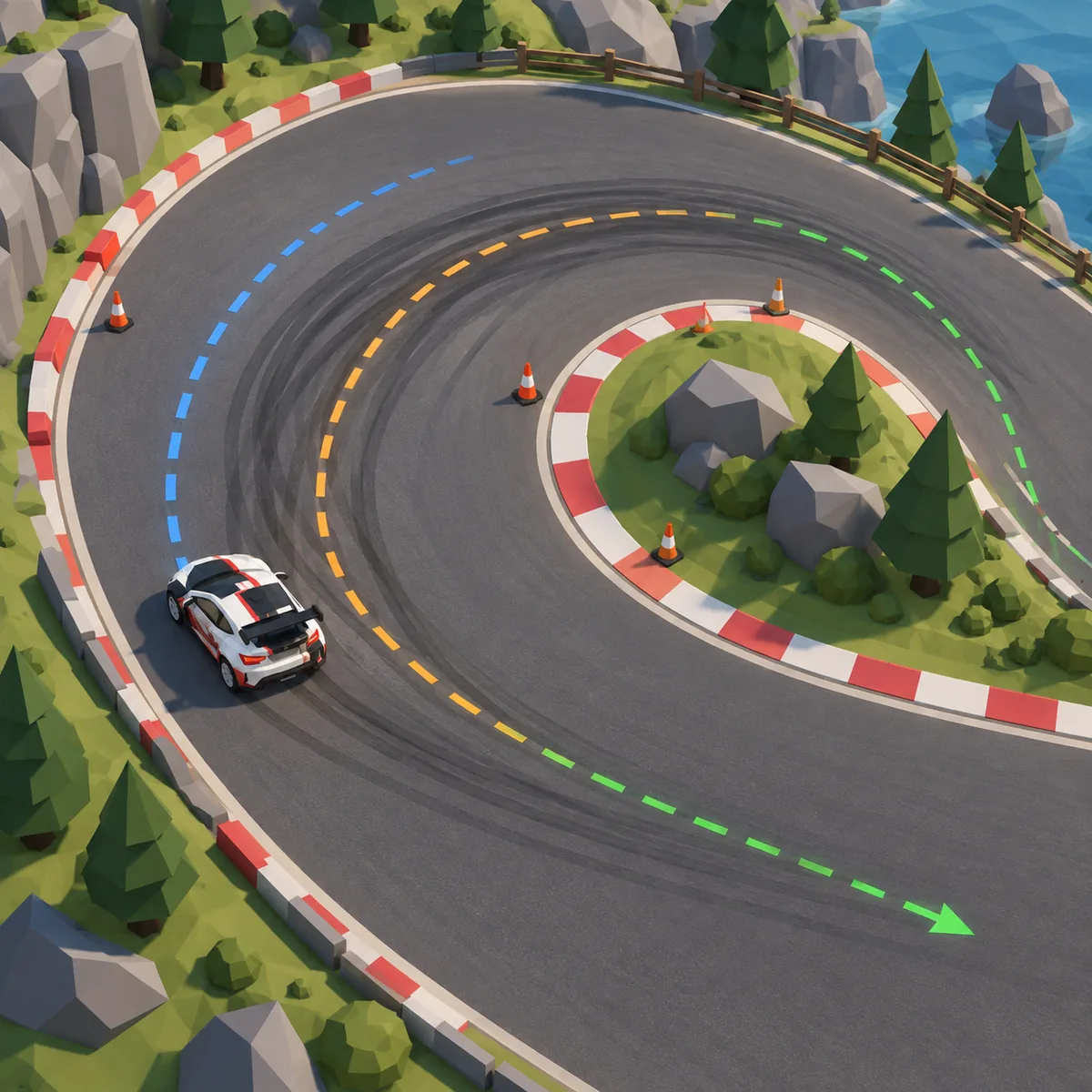
Practice one corner at a time. The clean line in the illustration is a reminder to enter wide, rotate near the middle, and leave room to unwind the steering before the next obstacle.
Choose one readable corner
Use a wide hairpin or a familiar turn with a long exit. Avoid a jump, moving platform, or blind crest while learning the first slide.
Set a calm baseline
Drive the corner without trying to drift. Note where you brake, how wide the exit is, and which key or button resets the attempt.
Add rotation once
Brake a fraction earlier, turn smoothly, and watch the rear. Stop adding steering when the car begins to point toward the apex.
Repeat with one change
Adjust only entry speed, brake release, or throttle. Five comparable attempts teach more than five random inputs.
Connect the next straight
Keep the exit open, unwind the wheel, and accelerate only when the car is stable. A slower entry with a clean exit often wins the next sector.
Before the corner
Build the drift from the entry, not the apex
Most failed drifts begin before the visible slide. If you arrive too fast, the front tyres run wide and every correction becomes defensive. Lift on the approach, keep the car roughly straight while braking, and choose an entry point that leaves a little track outside the turn. That spare space gives you time to rotate without clipping a barrier.
A useful beginner target is a modest slide that lasts less than a full corner. You should still know where the exit is. If you cannot describe the next straight, you are probably chasing angle instead of speed. Reset and repeat the same entry until the car rotates at a similar place each time.
During rotation
Use steering to catch the slide, not to force it
Turn toward the corner with a deliberate but compact input. When the rear starts moving, reduce the steering angle rather than adding more lock. This feels counterintuitive because the car looks as if it needs help, but extra steering can make the front wash out or create a spin. Small corrections keep the nose pointed at the exit.
Think of the wheel or arrow key as a balance control. A short release can stop the slide from growing; a short correction can keep the car from straightening too early. Do not saw back and forth. Let each input finish before deciding what the next one should be.
Power control
Feather throttle until the exit is clear
Full acceleration is tempting because speed makes the drift look dramatic, but it also makes the exit harder to catch. Use a partial throttle or a brief lift while the car is rotating. Once the nose points along the next straight, add power progressively. The fastest attempt is often the one with the least wheelspin at the exit.
If the car snaps straight when you lift, the entry was too slow or the steering was held too long. If the rear keeps sliding past the exit, reduce power earlier and open the steering sooner. Treat throttle as a way to manage angle, not simply a finish-line button.
Track reading
Let the surface and camera decide the margin
A wide, flat corner gives you room to learn; a narrow platform, ramp landing, or uneven section does not. Start on a predictable surface and move to technical tracks after the input rhythm feels automatic. Camera distance also changes how early you can read the exit, so a view that looks comfortable for straight lines may be poor for a hairpin.
When a mirror or embedded build feels different, compare the behavior of a simple corner before blaming your technique. Old builds can have different grip, key mappings, or frame pacing. Record the source and version context in your notes, then keep one practice setup consistent while you learn.
Troubleshooting
Why a PolyTrack drift keeps failing
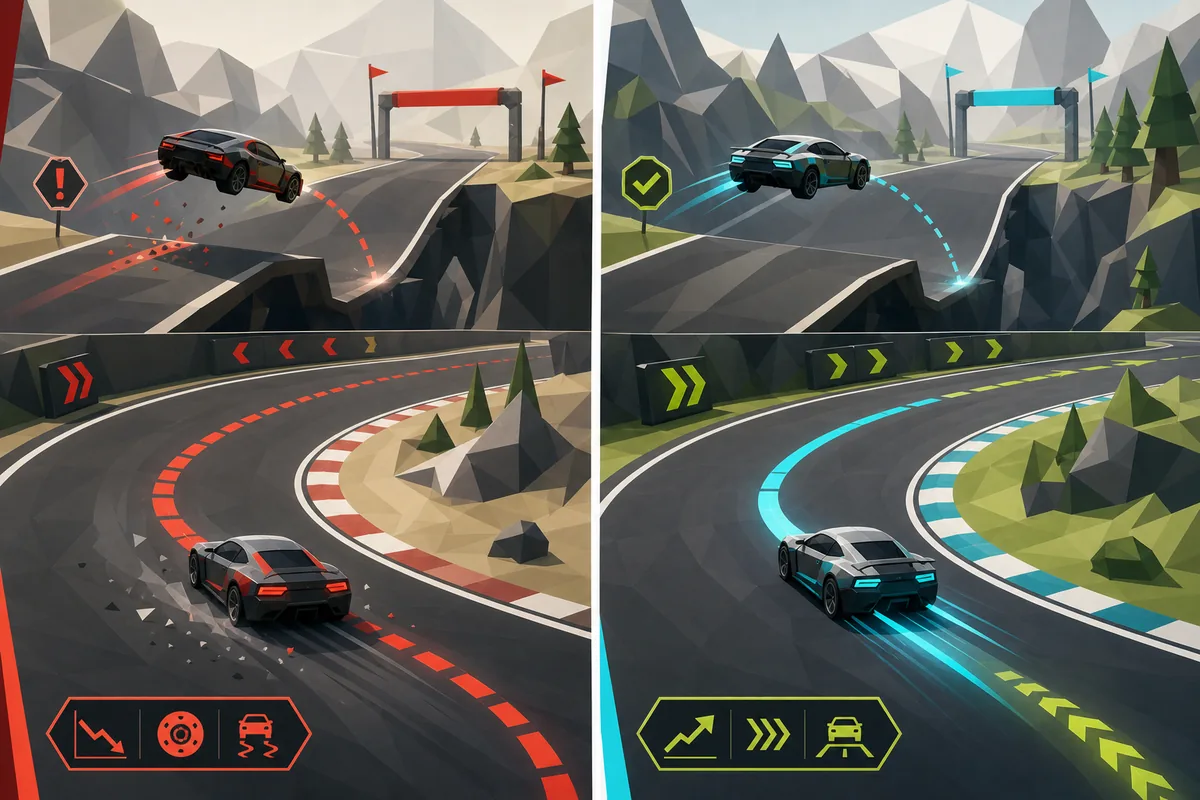
Attach each failed attempt to a visible symptom. That turns a spin or wide exit into one small adjustment instead of a reason to change every control at once.
Entry is too fast
The nose runs wide before the rear rotates. Brake earlier and aim for a smaller slide.
Steering is held too long
The car keeps adding angle after the apex. Release in steps and watch the exit sooner.
Throttle is pinned
Power keeps the rear moving after the line is already correct. Feather acceleration until the car is straight.
Correction starts late
A last-second rescue usually crosses the track. Start unwinding while there is still space outside the corner.
Input is inconsistent
Click the game frame, check the active hints, and test a simple straight before changing your technique.
Limits and context
When drifting is the wrong choice
A drift is not automatically faster. On a gentle corner, a clean grip line may carry more speed than a slide. On a narrow track, the safest line can be the one that keeps the car centered. Compare a controlled normal turn with a drift on the same corner and keep whichever gives the better exit.
Do not use a technique guide to claim a universal record route. PolyTrack tracks, versions, camera settings, and hosted builds can change the timing. The official source and the current build you are playing remain the authority for controls and physics; this page is independent practice advice.
If the game will not receive keyboard input, solve the focus or loading problem first. The controls and not-loading guides cover iframe focus, browser limits, mobile differences, and safer source checks. Technical failures are not evidence that your drift timing is wrong.
Drift FAQ
How do you drift in PolyTrack? FAQ
How do you drift in PolyTrack for the first time?
Choose a wide corner, brake before turning, steer smoothly, and release some steering as the rear begins to rotate. Use light throttle until the car points toward the exit, then accelerate.
Can you drift in PolyTrack with keyboard controls?
Yes, keyboard driving can support controlled slides, but the exact keys and physics may vary by build or mirror. Click inside the game frame and verify the active control hints before practicing.
Why does my PolyTrack car spin when I drift?
The usual causes are too much entry speed, too much steering, a late correction, or full throttle after the car has already rotated. Change one of those inputs and repeat the same corner.
Is drifting faster than normal cornering in PolyTrack?
Not always. A drift can help rotate a tight corner, but a clean grip line may be faster on a gentle turn. Compare the exit speed and the next straight instead of judging the slide by appearance.
What is the best PolyTrack track for learning to drift?
Start with any wide, readable hairpin or long corner that has a safe run-off and no jump at the entry. The best practice corner is the one you can repeat without changing the camera or source build.
Why do PolyTrack drift tips feel different on mobile?
Touch controls, iframe focus, camera behavior, and hosted builds can differ on phones. A physical keyboard and a stable desktop build are usually easier for precise steering and quick resets.
Does this guide show the official fastest PolyTrack line?
No. The illustrations and advice are independent editorial guidance. Check Kodub's official pages and the current game build for authoritative release, control, and physics information.